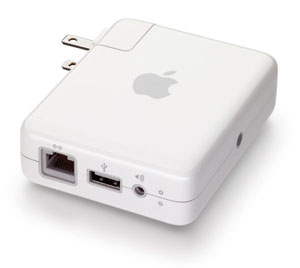
 I recently purchased an Apple AirPort Express in order to listen to my iTunes music on my home stereo. The initial setup I had was the AirPort Express joined to my main wireless network. I was able to configure the AirPort by connecting to it wirelessly from my Mac and running the AirPort configuration utility to join it to my existing network. This configuration worked great.
Eventually, I was able to plug the AirPort into my wired network. I set it up as a separate access point that I could use in a different area of the house and also used it to pipe some music to my stereo. This worked even better because there was no more wireless connection between the AirPort and the computer that was streaming music.
At this point I really looked into the AirPort setting and found it to be a pretty useful device. Besides from being wireless N compatable and using channels in the 5GHz range, it was also able to:
- Use the AirPort as a router for an internet connection and share the connection wirelessly.
- Operate as a wireless access point on an existing network.
- Extend another wireless network.
- Become a client of another wireless network in order to stream music wirelessly.
This turned out to be an incredibly useful, and tiny, device. It is also nice that Remote on an iPhone or iPod touch is able to control remote speaker volume and select which speakers music is played from.
 So, on Friday (10/23) I headed to the apple store on Michigan Avenue in Chicago to pick up a new 27-inch iMac. I like being an early adopter so I knew I wanted it as soon as it was announced. As soon as I bought it, I hopped in a cab to take it home. The packaging is pretty slim like all Apple products but since the computer itself is big and heavy, the box is big and heavy.